Cat Halloween Costume Ideas for 2026 (No Costume Needed)
Seven cat Halloween costume ideas you can make from one photo, plus the photo tips, formats and credits that make an AI costume portrait look real.
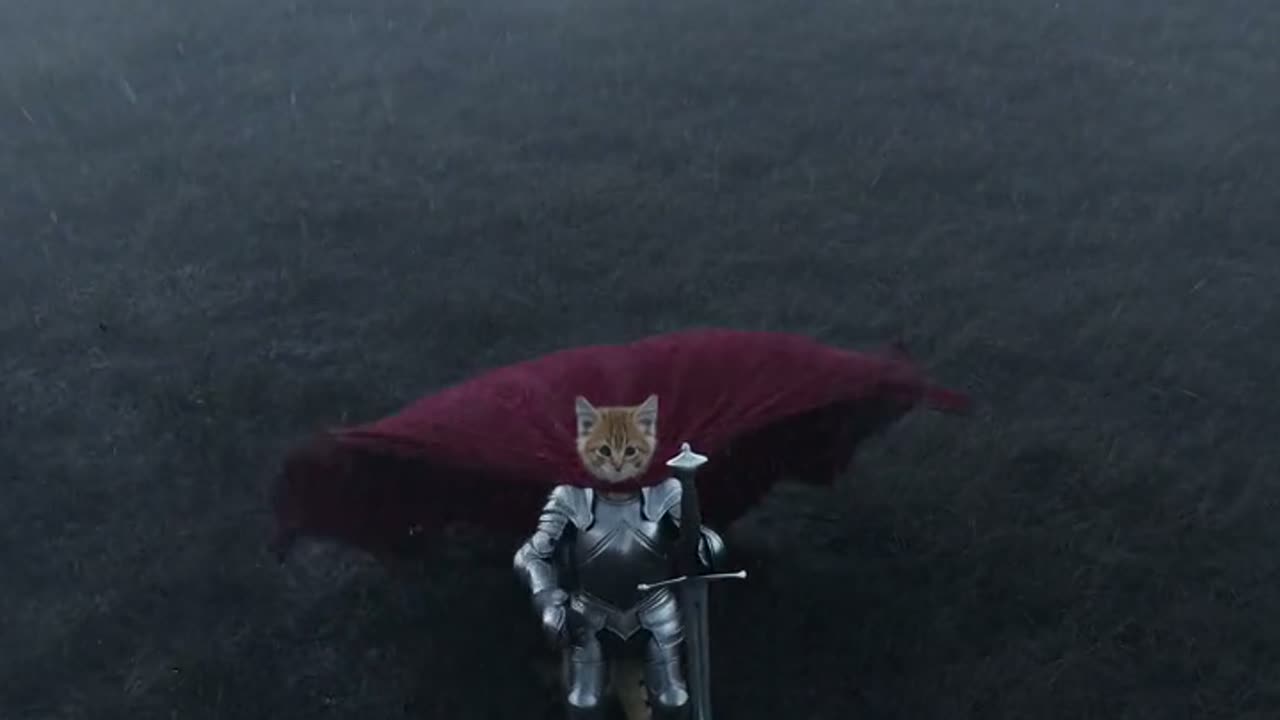
 Knight Cat AI Team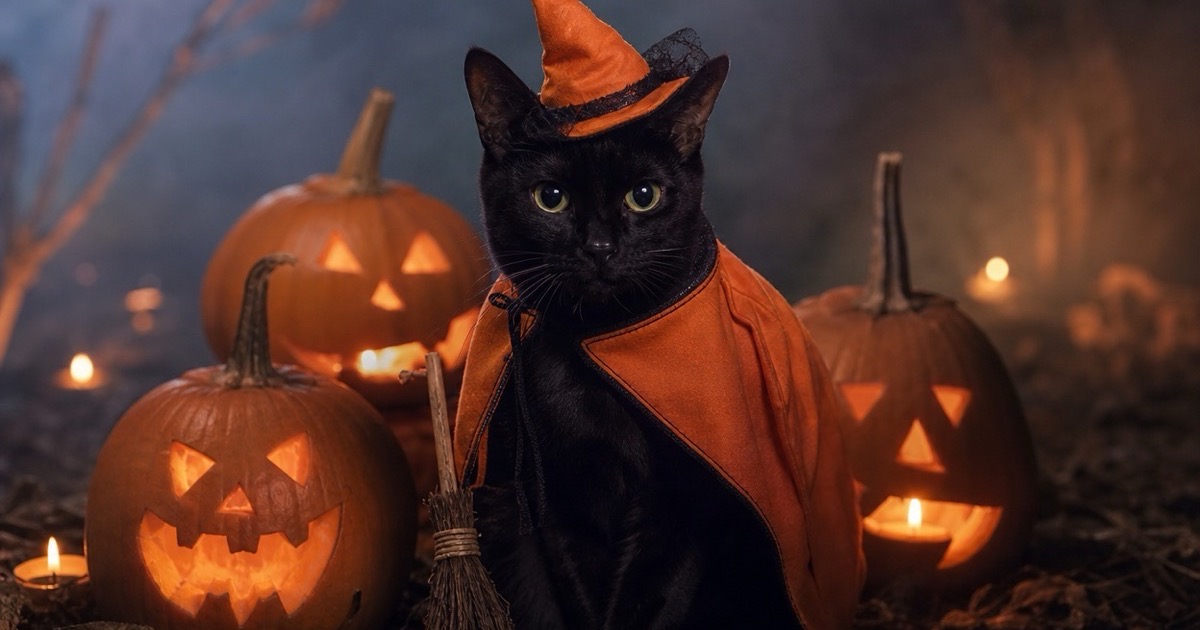
Every October the same argument happens in pet households. The costume is adorable in the shop, the cat disagrees within four seconds, and the photo that ends up on the card is a blur of orange fabric and one offended ear. A generated costume portrait skips that argument entirely: the cat stays in its own body, the costume is built around it, and the only thing you have to get right is the photo you start from.
This guide collects seven costume ideas that work with a single photo, explains what makes the difference between a portrait that looks like a costume and one that looks like a sticker, and shows the exact settings the generator uses.
Generated images are AI-made. Do not present them as photographs of a real event, and only upload photos you have the right to use.
Why a generated costume portrait is easier than a costume
A real costume has three problems. It has to fit an animal that did not consent to fitting, it has to survive a photo session, and it has to look like the idea in your head rather than a pet-store approximation. A generated portrait removes all three. The model is given a photo of your cat and a description of the look, and it builds the costume around the cat's actual proportions.
The trade-off is honesty. This is an illustration of your cat in a costume, not evidence that the cat wore one. Say so when you post it. The result is still a better image than most people get from a ten-minute photo session, and the cat is spared the hat.
There is also a practical advantage: you can try several looks for the price of one coffee. A ten-credit pack covers ten images, and each generation is independent, so a look you dislike costs one credit rather than an afternoon.
Seven costume ideas that work from one photo
Pumpkin witch. A small orange hat with a crooked tip, a pumpkin-coloured cape and a tiny broom, sitting among carved jack-o'-lanterns. It is the friendliest of the set and the easiest to print on a card. The hat is deliberately small so the ears remain visible.
Haunted unicorn. A soft white plush hood with a single silver horn, a faintly glowing mane and a dark velvet cape. This one follows the mascot-horror mood without borrowing a specific film character. It works best on a cat with a calm, slightly serious face.
Midnight vampire. A black velvet cape with a red-lined collar, candlelight and a bowl of candy. The joke is the collar, not the fangs; the preset keeps it playful rather than gory.
Friendly ghost. A simple sheet-with-eye-holes look is hard to photograph and easy to generate. Ask for a soft white drape with the cat's face visible, a dim hallway and a warm lamp. It reads as a classic Halloween card rather than a horror image.
Tiny wizard. A pointed hat, a star-covered robe and a wooden staff. This is the most versatile idea on the list because it works for a card, a desktop wallpaper and a child-friendly post.
Superhero. A fitted suit and a short cape, with a city sunset behind. It is not strictly Halloween, but it fits the same dress-up mood and gives you a second use for the same photo.
Royal cat. A tiny crown, a velvet cushion and a dark hall. This is the least seasonal option and the one most likely to stay on a wall after October.
The pattern is the same for all seven: one costume, one prop, one clear setting. A portrait that adds a hat, a broom, a pumpkin, a ghost and a bat is a poster, not a costume photo.
What makes an AI costume portrait look real
The first thing that sells the image is the face. The model is instructed to preserve the cat's face, fur colour, markings, eye colour and body proportions. That is why the result reads as your cat in a costume rather than a generic cat with a hat pasted on.
The second thing is the fit. A costume that floats above the fur looks like a collage. The presets describe materials — wool, velvet, plush, metal — because material words give the model something to wrap around the body. "A cape" is vague; "a heavy velvet cape with a high collar" is a shape.
The third thing is the light. Halloween images fail when everything is orange. The presets mix a warm source (candles, pumpkins, a lamp) with a cool ambient background, which keeps the fur from turning into a flat orange silhouette.
The fourth thing is the crop. A 1:1 image is safest for a feed. A 9:16 image gives a Story room for its own text and buttons. A 4:5 image is the best print crop because it leaves space above the cat for a greeting.
The photo to start from
A sharp, front-facing photo with both ears visible is the best input. Daylight is better than a flash. A sitting cat with the chest visible gives the model room to place a collar or a cape; a face-only crop leaves it nowhere to put the costume.
Avoid sunglasses, heavy filters and photos where another animal or a person is touching the cat. The presets keep the composition to one cat, and a second subject usually gets cropped in a way that looks accidental.
If your cat is black, a photo with a clear light source matters more than usual. The model can preserve markings it can see. A black cat photographed against a black sofa loses the edge of the body, and the costume has nothing to follow.
Printing, posting and what it costs
Each costume portrait is a 2K JPEG with no watermark. One image costs one credit, and credit packs start at $9.90 for ten. A failed render is refunded to your balance automatically, so a provider hiccup does not cost you an image.
For a printed card, generate at 4:5, keep the cat's face in the lower two-thirds and add the greeting in the empty space at the top. The 2K file prints cleanly at 5×7 inches. For a larger print, upscale it rather than letting the printer stretch it.
For social, 1:1 is the safe crop for a feed and 9:16 is the right shape for Stories and Reels. The image has no text, so the caption carries the joke. Keep it short: "she has been waiting for this since August" works better than a paragraph.
A note on characters and copyright
The presets are original designs. They describe a pumpkin witch, a haunted unicorn, a vampire and a wizard, not a named character from a film, game or brand. That is deliberate: it keeps the result safe to post, and it means the costume is designed around your cat rather than copied from a reference sheet.
If you edit the prompt, keep the description generic. "A red cape and a silver chest plate" is fine. "A costume that looks exactly like a specific film character" is a request the tool will refuse, and it is not worth the risk to your account.
Frequently asked questions
Do I need to buy a costume? No. The costume is generated from the photo. Nothing is shipped and the cat does not wear anything.
Can I use the portrait on a printed card? Yes. The output is a 2K JPEG with no watermark and prints cleanly at standard card sizes.
Will the hat cover the ears? The model is told to keep the face readable, but hats can shift between renders. If an ear or an eye is covered, generate again with the same preset.
How many credits do I need? One per image. A ten-credit pack covers ten looks, and a failed render is refunded automatically.
Can I make a matching Christmas card? Yes. The same photo works in the cat Christmas card generator, and the credits are shared across every tool.
Knight Cat AI Team
Knight Cat AI turns one cat photo into a tiny armoured knight video. An independent tool, not affiliated with any film, game or franchise.